

Reset VW Service Light Without Tool: Step-by-Step
Table of Contents
- Understanding the VW Service Now Warning Light
- Safety Precautions Before Resetting Your Service Light
- How to Reset VW Service Light Using the Dashboard Menu
- Manual Reset Using the Steering Wheel Controls
- VW Oil Change Reset Procedure for Specific Model Years
- What to Do If the Reset Fails or Light Returns
- Post-Reset Verification and Maintaining Genuine Volkswagen Parts for Sale
- Frequently Asked Questions
Last Updated: September 21, 2026
Understanding the VW Service Now Warning Light
The VW Service Now warning light appears on your dashboard when your vehicle's onboard computer detects that scheduled maintenance is due. This isn't a malfunction indicator, it's a reminder that your Volkswagen needs routine service based on oil life, mileage, or time elapsed since the last reset.
VW vehicles use two main service reminders: the service light indicates an oil change or inspection is needed, while the inspection light signals a more comprehensive check is required.
The warning appears in your instrument cluster, typically as "Service" or "Inspection" text. Some newer models display it on the infotainment screen. Ignoring this light doesn't damage your engine immediately, but it means you're overdue for maintenance that keeps your vehicle running properly.
Safety Precautions Before Resetting Your Service Light
Before resetting, park safely with the engine off. Sit in the driver's seat with the door closed and access to your dashboard controls and steering wheel buttons.
Ensure your vehicle is in Park and turn off auxiliary systems like the radio and climate control to ensure proper infotainment response.
If your vehicle has a push-button start, leave the key fob in the cabin. Consult your owner's manual if unfamiliar with your dashboard layout.
How to Reset VW Service Light Using the Dashboard Menu
Most 2015+ Volkswagen models allow you to reset the service light through the infotainment system without special tools.
Accessing the Infotainment System
Start your vehicle and press the Menu button on your steering wheel or tap Menu on your infotainment screen. Navigate to Settings or Vehicle menu.
Look for options labeled "Service," "Maintenance," "Oil Service," or "Vehicle Status." Scroll until you find the service reminder section.
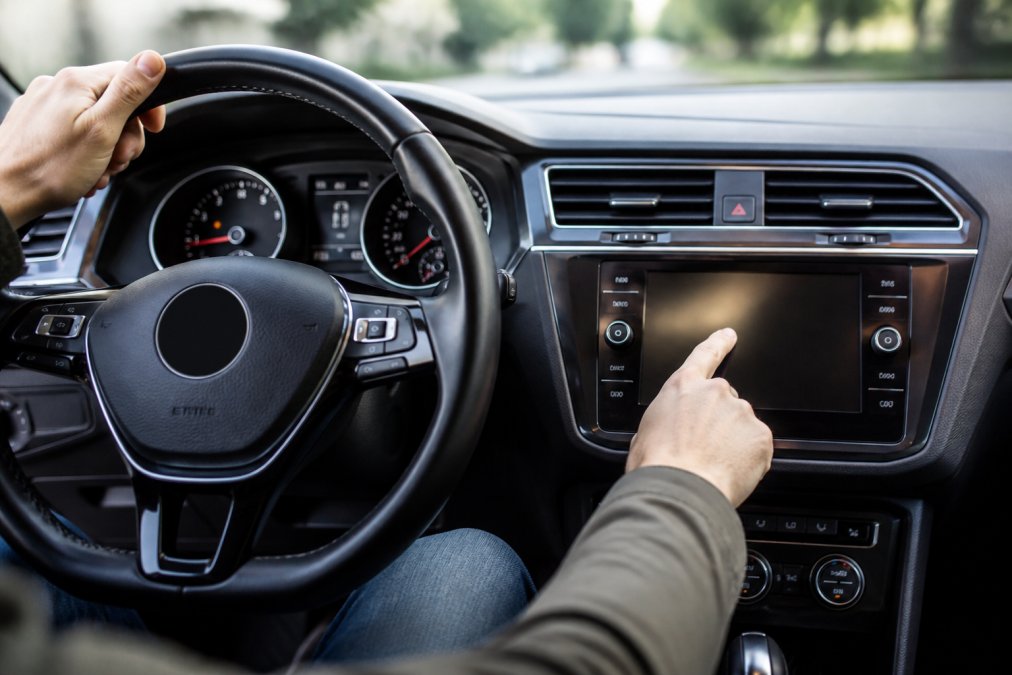
Navigating to Service Settings
In the Service or Maintenance menu, select the option to reset the service reminder, typically labeled "Reset Service" or "Clear Service."
Confirm your selection when prompted. Select "Yes" to proceed. Your infotainment screen will display a confirmation message.
If the menu structure differs, check your owner's manual. The core process remains: access Settings, find Service, and confirm the reset.
Manual Reset Using the Steering Wheel Controls
For older models without a touchscreen, you can reset the service light using steering wheel controls. This works on many 2010-2020 models. Identify your steering wheel configuration first, as layouts vary significantly.
Identifying Your Steering Wheel Type
VW uses three primary steering wheel button configurations: 2010-2015 models have dual buttons on each side; 2016-2018 models use a multi-function pad; 2019-2020 models use touch-sensitive capacitive buttons.
Locate your steering wheel configuration in your owner's manual or compare a photo against VW's online owner portal to avoid pressing wrong buttons.
Reset Procedure for 2010-2015 Models (Dual-Button Layout)
Turn on your vehicle without starting the engine. Press and hold the upper-left button (Menu/OK) for three seconds until the main menu appears.
Use the right-side buttons to scroll through menu options. Navigate to "Service," "Maintenance," or "Vehicle Status" and press the upper-left button to enter.
Scroll to "Reset Service" or "Clear Service" and press the upper-left button. Confirm when prompted. The service light will extinguish within seconds.
Reset Procedure for 2016-2018 Models (Multi-Function Pad)
These models use a consolidated button pad on the left spoke. Turn on your vehicle without starting the engine and locate the multi-function pad.
Press the central button to access the main menu. Use the scroll wheels to navigate to "Service" or "Maintenance."
Scroll to "Reset Service" or "Clear Service Reminder" and press the central button. Confirm when prompted. The service light will turn off.
Reset Procedure for 2019-2020 Models (Touch-Sensitive Buttons)
Newer models use capacitive touch buttons that respond to finger swipes. Turn on your vehicle without starting the engine.
Swipe upward on the left steering wheel spoke to access the main menu. Use swipes to navigate to "Service" or "Vehicle Status."
Swipe upward to enter the Service menu. Scroll to "Reset Service" or "Clear Service Reminder" and swipe upward to confirm. Ensure your fingers are dry if buttons don't respond.
Troubleshooting Button Navigation Issues
If the menu doesn't appear, ensure your ignition is in the "On" position without the engine running. Wait five seconds before attempting to access the menu.
If you can't find the Service option, check your infotainment software version. Older versions use "Maintenance," while some use "Vehicle Status" or "Diagnostics." Consult your owner's manual if needed.
VW Oil Change Reset Procedure for Specific Model Years
The reset procedure varies slightly between model years because Volkswagen updated its infotainment systems multiple times. Knowing your vehicle's year helps you follow the correct steps the first time.
2015-2020 Volkswagen Models
Most 2015-2020 models use the infotainment menu method. Turn on the vehicle without starting the engine, press Menu, select "Vehicle" or "Settings," then find "Service" or "Maintenance."
Select "Service Reset" or "Oil Service Reset" and confirm when prompted.
2021 and Newer Models
2021+ models use an updated menu structure. Access the main menu and select "Vehicle Settings" or "Vehicle Information," then look for "Service" or "Maintenance Status."
What to Do If the Reset Fails or Light Returns
If the service light doesn't turn off after following the reset procedure, understanding why the reset failed is essential. Manual resets have inherent limitations that diagnostic tools can overcome, and recognizing these boundaries helps you determine whether to retry the procedure or seek professional help.
Understanding Manual Reset Limitations
A manual reset clears only the service reminder counter, not diagnostic trouble codes. If your vehicle has detected a fault, the service light will remain illuminated or reappear immediately after reset.
Immediate Troubleshooting Steps
If the service light doesn't turn off, try the procedure again. Many users miss a menu step or press wrong buttons. Turn off your vehicle, wait 30 seconds, then repeat carefully.
Diagnostic Verification: Reading Fault Codes
- P0101: Mass Air Flow (MAF) sensor circuit range/performance issue
- P0128: Coolant thermostat malfunction
- P0335: Crankshaft position sensor circuit malfunction
- P0420: Catalyst system efficiency below threshold
- P0507: Idle air control system malfunction
Volkswagen Dealership: Factory diagnostic equipment reads VW-specific codes. Most expensive option but highest expertise. Diagnostic fees: $100-$150.
Addressing Common Fault Codes
Once you've identified the fault code, you can determine whether the repair requires professional service or if it's something you can address yourself.
Post-Repair Reset Procedure
Once the fault is repaired, the service light may extinguish automatically. If it remains illuminated, attempt a manual reset using the procedure for your model year.
Service Light Returns Within Days of Reset
You Haven't Performed Required Maintenance: The reset worked, but your computer is counting down to the next interval. Perform the required service and reset the light again.
Post-Reset Verification and Maintaining Genuine Volkswagen Parts for Sale
After resetting, verify by turning off and restarting your vehicle. The service light should remain off. If it reappears within minutes, try the procedure again.
Frequently Asked Questions
What does the 'Service Now' warning light mean on a Volkswagen?
The Service Now light indicates your vehicle is due for scheduled maintenance based on the onboard computer's monitoring of engine oil life, service intervals, and inspection schedules. It does not necessarily mean your engine has a fault, it's a maintenance reminder. The light appears on your instrument cluster when the vehicle's service interval has been reached. Ignoring it won't damage your vehicle immediately, but addressing scheduled maintenance keeps your engine running efficiently and preserves your warranty coverage.
Can I reset my VW service light without an OBDII scanner?
Yes. Most Volkswagen models allow you to reset the service light manually through the infotainment system menu or using steering wheel controls without any diagnostic tool. The exact method depends on your model year and whether your VW has a digital dashboard or traditional instrument cluster. Newer models typically use the settings menu, while older models may require a specific button sequence on the steering wheel. Check your owner's manual for your exact model year to confirm the correct procedure.
Does resetting the service light affect my vehicle warranty?
Resetting the service light itself does not void your warranty. However, if you reset the light without actually performing the required maintenance (oil change, filter replacement, or inspection), you may be liable if engine damage occurs and Volkswagen can prove maintenance was neglected. Always complete the actual service work before resetting the light. Using genuine Volkswagen parts during maintenance helps ensure you meet warranty requirements and maintain your vehicle's performance standards.
How do I reset the service indicator differently on older versus newer VW models?
Older Volkswagen models (pre-2015) typically use a manual reset button or a combination of steering wheel controls and key ignition positions. Newer models (2015 and later) rely on the infotainment system menu to reset the service reminder. Mid-range models may offer both options. The safest approach is to consult your specific model year's owner's manual, as the procedure varies significantly. If you're unsure, your VW dealership or a qualified technician can walk you through the process for your exact vehicle.